How to Spot Red Flags in Virtual College Tours (Guide 2026)
The first time I saw a college campus through a screen, I was sitting with a family in their living room. The video was beautiful. It featured drone shots of a lush green quad and students laughing in a sun-drenched library. The student I was working with, Sarah, was ready to move her “dream school” to the top of her list. But having visited that campus in person just months prior, I knew something she didn’t. The library in the video was actually a new wing only accessible to graduate students, and the “lush green quad” was bordered by a six-lane highway that the camera carefully avoided.
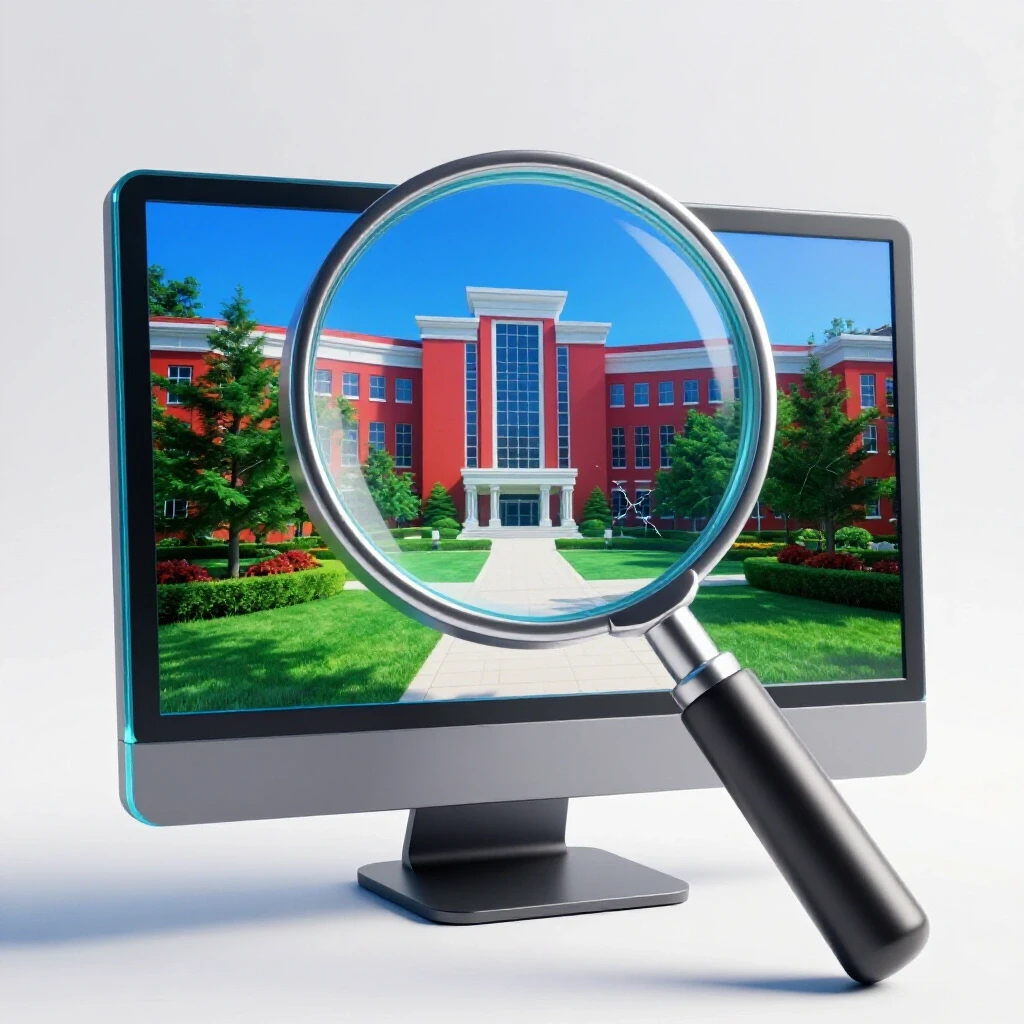
That moment stayed with me. As a higher education planning expert with 17 years in the field, I have seen how virtual tours have revolutionized the college application process. They make the world smaller and more accessible. However, they also act as polished marketing brochures. If you are a high school student or a parent building a college list, you must learn to see past the digital glaze. You need to identify the red flags that a 360-degree camera is designed to hide.
Why Virtual Tours are a Double-Edged Sword in the College Application Process
Virtual tours are digital experiences, including 360-degree videos and live-streamed walks, designed to showcase a college campus remotely. While they offer accessibility and save travel costs, they are marketing tools that often prioritize aesthetics over the daily reality of student life. They are a starting point, not a final destination.
In my work, I often see families rely too heavily on these tours. According to recent data, over 75% of students now use virtual tours as a primary research tool. This is great for narrowing down a list of 20 schools to a manageable eight. But the “missed red flags” can be costly. If a student chooses a school based on a virtual tour and realizes the “vibe” is wrong in September of freshman year, the transfer process becomes an uphill battle.
- Virtual tours are available 24/7, making them convenient for busy families.
- They allow students to “visit” schools across the country without the high cost of airfare.
- Many colleges now track “demonstrated interest” based on your engagement with their virtual platforms.
- The primary risk is the “curated reality” where only the best buildings are shown.
Building a college list requires a balance of reach, target, and safety schools. Virtual tours help you see the “reach” schools you might not be able to visit yet. But remember, the goal is to find a fit that leads to a four-year graduation. If the virtual tour feels like a movie trailer, it probably is.
How to Spot Wide-Angle Lies and Strategic Editing on Campus
Wide-angle lenses and professional editing are techniques used to make small dorm rooms look spacious and older buildings look modern. These distortions are common in marketing materials, requiring students to look for context clues to determine the true size and condition of facilities. Seeing through the lens is a vital skill.
One of the most common red flags I point out to my clients is the “empty campus” syndrome. If a virtual tour shows beautiful buildings but very few students walking around, ask yourself why. Is the campus truly that quiet? Or was it filmed at 6:00 AM on a Sunday to hide overcrowding? I once worked with a transfer student who moved from a large state school to a small private college. He chose the new school because the virtual tour showed “intimate” study spaces. When he arrived, he found those spaces were always packed because the library was too small for the student population.
- Look for the edges of the frame; if furniture looks stretched, a wide-angle lens is being used.
- Check the ceilings in dorm room tours; if the camera never tilts up, they might be hiding water damage or outdated lighting.
- Note the weather; if every shot is sunny, you aren’t seeing what the campus looks like during the rainy or snowy seasons you will actually live through.
- Watch for “stock footage” that looks different from the rest of the tour; this often indicates the school is showing facilities they don’t actually own or that are off-campus.
I recommend cross-referencing virtual tours with the Common Data Set. This is a document every college produces that lists factual data. If the tour shows a brand-new gym, check the Common Data Set or the school’s fiscal report to see if they are currently under construction or if that facility is actually open to all students.
What the Camera Doesn’t Show: The Sensory Red Flags
Sensory red flags are the non-visual elements of a campus, such as ambient noise from nearby highways, the smell of local industry, or the “vibe” of the surrounding neighborhood. These critical factors are often omitted from virtual tours, making it hard to judge true fit. A screen cannot transmit a smell or a sound.
I remember a family who was thrilled about a school in a major city. The virtual tour showed a high-tech lab and a modern dorm. However, the tour didn’t show that the “campus” was actually spread across twelve city blocks with no dedicated security perimeter. For a 17-year-old moving from a quiet suburb, this was a massive shock. They missed the red flag of “urban integration” because the video focused only on the interiors of buildings.
| Feature | What the Virtual Tour Shows | The Potential Red Flag (Reality) |
|---|---|---|
| Dorm Rooms | Spacious, clean, and perfectly decorated. | Cramped quarters with poor ventilation or thin walls. |
| Dining Halls | Gourmet food and plenty of seating. | Long lines, limited hours, and repetitive menus. |
| Campus Perimeter | Green trees and beautiful gates. | High-traffic roads, industrial zones, or lack of safety lighting. |
| Study Spaces | Quiet, sunlit rooms with modern tech. | Overcrowded areas where it is hard to find a lonely outlet. |
To combat this, I suggest students use “Google Street View” to walk the perimeter of the campus. This gives you an unedited look at the neighborhood. You can see if there are grocery stores nearby or if the walk from the dorm to the chemistry lab involves crossing a dangerous intersection. These are the details that impact your daily happiness.
Building a Realistic College List Beyond the Digital Glaze
A balanced college list includes a mix of reach, target, and safety schools based on academic fit and financial reality. Virtual tours help narrow this list, but they must be cross-referenced with graduation rates and net price calculators to ensure long-term success. Your list should be built on data, not just digital aesthetics.
When I guide families through the college application process, we use a “Three-Pillar” approach: Academic Fit, Social Fit, and Financial Fit. A virtual tour only touches on a small part of Social Fit. To get the full picture, you need to look at the numbers. For example, a school might have a beautiful campus, but if their four-year graduation rate is only 40%, that is a major red flag. It suggests that students are struggling to get the classes they need or that the support systems are failing.
- Reach Schools: Acceptance rates typically below 20%. Virtual tours here are often the most polished.
- Target Schools: Your GPA and test scores align with the middle 50% of admitted students.
- Safety Schools: You exceed the average stats, and the school has a high acceptance rate (usually above 60%).
- Financial Safety: A school where the net price after aid is comfortably within your family’s budget.
I always tell my students to look at the retention rate. This is the percentage of freshmen who return for their sophomore year. If a school looks amazing on a virtual tour but has a retention rate below 80%, something is wrong. Students are seeing the reality and choosing to leave. That is a data-driven red flag that no video can hide.
Transfer Student Guide: Using Virtual Tours for Practical Transitions
Transfer students face a unique set of challenges, as they are often looking for specific academic departments or a better social fit than their current institution. For these students, virtual tours should be used as a tool to verify specific facilities rather than just “soaking in the atmosphere.” You are looking for what was missing the first time.
If you are a transfer student, you likely already know what you don’t want. Use the virtual tour to “inspect” your specific department. If you are a biology major, don’t just watch the general tour. Look for the lab walkthroughs. Are the microscopes from this decade? Is there enough bench space? I once helped a transfer student who was an Arts major. We used a virtual tour to look at the studio spaces. She noticed that the “studios” were actually just converted basement rooms with poor lighting. She crossed that school off her list immediately.
- Focus on the buildings where you will spend 90% of your time, not the flashy student center.
- Look for “Transfer Centers” or dedicated spaces for non-traditional students in the tour.
- Use the tour to map out the distance between buildings to see if the campus layout is manageable for your schedule.
- Check for accessibility features like elevators and ramps if you have mobility needs.
Transfer students should also pay close attention to the yield rate of the school. A high yield rate (the percentage of students who say “yes” to an offer) usually indicates a strong, satisfied community. If the virtual tour feels cold and the yield rate is low, it’s a sign that the school might not be providing the “fit” it promises.
Actionable Metrics for Evaluating Virtual Campus Data
To move from an emotional reaction to a strategic decision, you need to use specific metrics. These numbers provide the context that a virtual tour lacks. When I work with families, we create a spreadsheet that compares the “Digital Impression” with the “Data Reality.” This reduces the stress of the application process by providing clear, objective comparisons.
The Common App and Naviance are excellent tools for this, but you must know which numbers to pull. For example, look at the student-to-faculty ratio. If a virtual tour shows a small, intimate seminar but the ratio is 25:1, you will likely spend most of your time in large lecture halls.
- Acceptance Rate: High-demand schools often have more “produced” virtual tours.
- Early Action Boost: Some schools have a significantly higher acceptance rate for early applicants (sometimes 10–15% higher).
- Average Financial Aid Package: Use the school’s Net Price Calculator alongside the tour to see if the “dream” is affordable.
- Endowment Size: A larger endowment often means better-maintained facilities, which you can verify by looking for “construction dates” on campus maps.
| Metric | What it Tells You | Why it Matters |
|---|---|---|
| 4-Year Graduation Rate | How efficiently students finish. | Saves you thousands in extra tuition. |
| Retention Rate | Student satisfaction after Year 1. | Indicates if the “vibe” is real. |
| Percentage of Pell Grant Recipients | Economic diversity of the campus. | Shows if the school is accessible to all. |
| Average Debt at Graduation | The long-term cost of the degree. | Impacts your life for 10+ years after college. |
By focusing on these metrics, you can turn a 15-minute virtual tour into a deep-dive research session. This is how you build a list that is not only aspirational but also realistic and safe.
Common App Strategies and Financial Aid Planning via Virtual Tools
The Common App is the central hub for most applications, and your virtual research can actually improve your chances of admission. Many colleges track “demonstrated interest.” This means they take note of when you take a virtual tour, how long you stay on their website, and if you open their emails. This can be a subtle but effective way to boost your profile.
When writing your “Why This College” essay, don’t just mention the things everyone sees in the first two minutes of the virtual tour. Dig deeper. Find a specific lab, a unique mural in the student union, or a particular study nook shown in a 360-degree view. Mentioning these details shows the admissions officer that you have done your homework. It proves you aren’t just clicking “apply” on every school with a pretty fountain.
- Use the virtual tour to find specific names of buildings or programs to include in your essays.
- Note the “vibe” of the students in the videos to help tailor your tone in the application.
- Check the financial aid section of the virtual tour; many schools offer webinars that explain local scholarship opportunities.
- Look for “Virtual Financial Aid Appointments” to speak directly with a counselor about your FAFSA or CSS Profile.
Financial aid planning is the most stressful part for many parents. I recommend using the virtual tour to find the “Business Office” or “Financial Aid Office” webpage. Look for their specific deadlines, which can sometimes differ from the general application deadline. Missing a priority FAFSA deadline by even one day can cost a family thousands of dollars in institutional aid.
Frequently Asked Questions about Virtual College Tours
Can a virtual tour count as “demonstrated interest” for admissions? Yes, many colleges use tracking software to see who engages with their virtual content. When you register for a virtual tour through the college’s official website, it creates a record in their system. For schools that consider demonstrated interest, this can be a “plus factor” in your application file, showing you are serious about attending.
What is the biggest red flag to look for in a pre-recorded tour? The biggest red flag is a lack of “live” student interaction or unedited spaces. If the tour only shows empty hallways, 3D renderings of future buildings, or heavily filtered footage, they may be hiding the actual condition of the campus. Always look for “student-led” virtual walks where you can see the background behind the guide.
How can I tell if a dorm room is actually as big as it looks online? Look for standard objects to use as a scale. A standard twin XL mattress is about 80 inches long. If the bed looks like it takes up the entire wall, the room is small. If there is a massive gap, the room is larger. Also, check if the “model room” in the tour has a closet; some older dorms use portable wardrobes which take up significant floor space.
Are virtual tours useful for transfer students? Absolutely, but they must be used differently. Transfer students should skip the general “welcome” videos and look for department-specific tours. You need to see the equipment, the labs, and the specific buildings where your major is housed. This helps ensure the academic “upgrade” you are seeking is actually there.
Should I make a final college decision based only on a virtual tour? I strongly advise against making a final commitment based solely on a digital experience if an in-person visit is at all possible. If you cannot visit, use “proxy” tools: talk to current students on social media, read the campus newspaper online, and look at unedited YouTube videos from students (“Day in the Life” vlogs) to get a more honest perspective.
How do I find the “hidden” parts of campus not shown in the tour? Use Google Maps in “Satellite” and “Street View” modes. Zoom in on the dorm clusters and the dining halls. Look at the surrounding neighborhood. You can often see the state of the parking lots, the proximity of construction zones, and the general “wear and tear” of the campus that professional photographers are paid to avoid.
What metrics should I check after watching a virtual tour? After the tour, check the school’s retention rate and its four-year graduation rate. A beautiful campus is irrelevant if students aren’t staying or finishing on time. Also, look at the “Net Price Calculator” to see if the lifestyle shown in the video is actually affordable for your family’s specific financial situation.
How can I use virtual tours to help with my college essays? Identify specific, non-generic details from the tour. Instead of saying “I love the beautiful campus,” say “I can picture myself collaborating with peers in the glass-walled study pods on the third floor of the Miller Science Center.” This level of detail proves you have a genuine interest and have spent time “on campus” virtually.
(This article was written by one of our staff writers, Christopher Langston. Visit our Meet the Team page to learn more about the author and their expertise.)